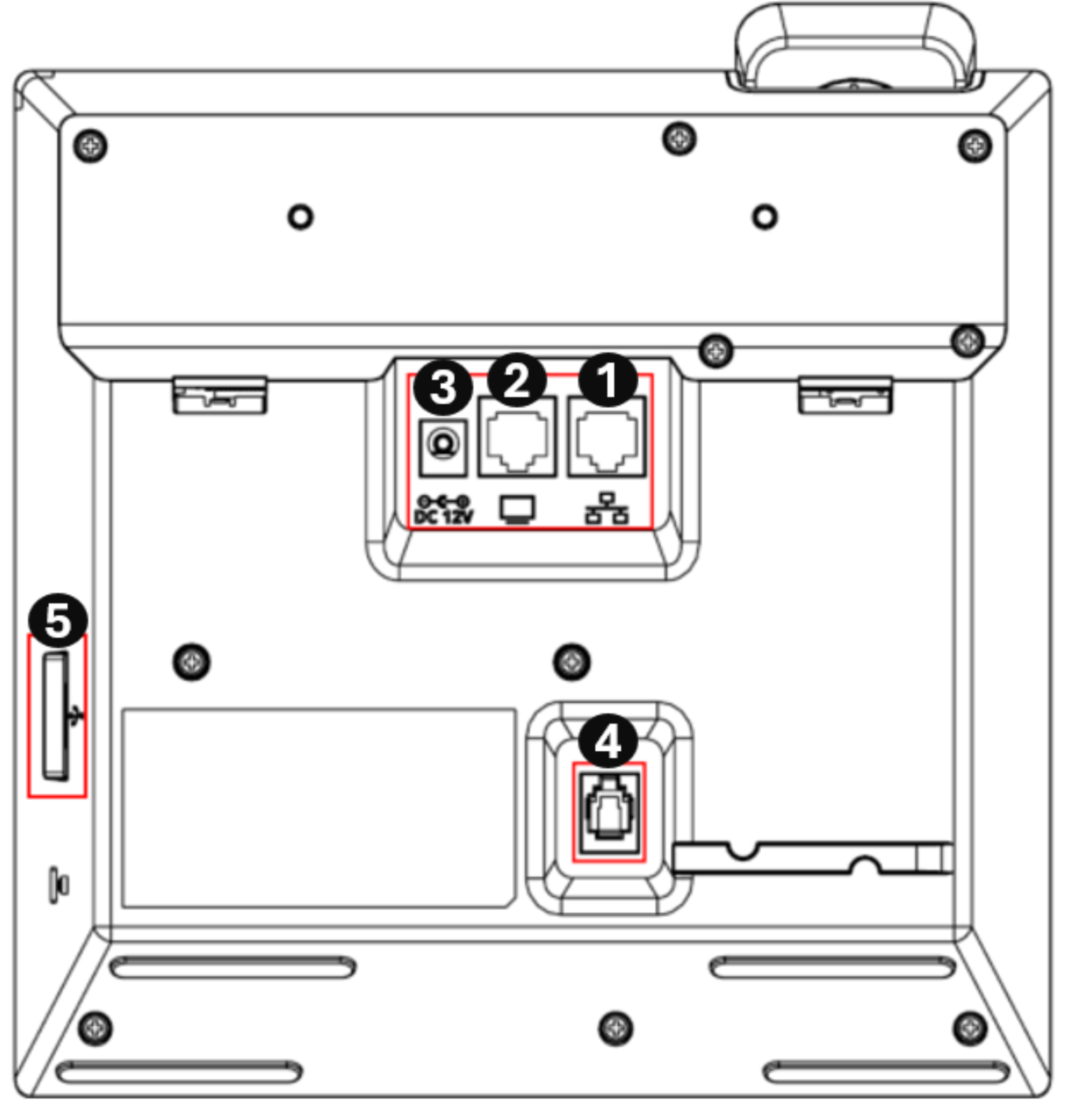
C456HD Rear View
The ports located on the rear of the phone are described in the table.
|
Ports |
Description |
|---|---|
|
1
|
RJ-45 port to connect to the Ethernet LAN cable for the LAN connection (uplink - 10/100/1000 Mbps). If you're using Power over Ethernet (PoE), power to the phone is supplied from the Ethernet cable (draws power from either a spare line or a signal line). |
|
2
|
RJ-45 port to connect the phone to a PC (10/100/1000 Mbps downlink). |
|
3
|
12V DC power jack that connects to the AC power adapter. |
|
4
|
Handset jack, i.e., port RJ-9, to connect the handset. |
|
5
|
Headset jack, i.e., USB-C port that connects to an external headset. |


The preceding figure shows the C456HD phone without the optional expansion unit.